For Internal Use Only

Visual Identity

The world and how we move is always evolving – yet what drives us forward remains constant. Service, connection, and making bold progress that solves for the real needs of people. Our founding values started our journey and will continue it. We asked ourselves – what if we created an identity that celebrates the incredible journey we’ve been on? One that expresses our values as a continuous pathway between our legacy and what’s to come?

Logos

From the very beginning, we have always been inspired by the journey. It was always more than an 'e.' It is a perfect metaphor for the journey of our business. Both where we’ve come from, but more importantly, where we are going. After three generations of leadership we are re-introducing this iconic logo, in a modern holistic brand system. It is a visual mechanic to frame what we’re most proud of, reflect the environments of our customers, and our 90,000+ strong team. Reintroduced, refined, and a reminder that we’re not ones to rest on legacy, but we use it to propel us to the future.


Our Mark is inspired by the strength of our heritage, and the iconic dual parallel lines from the original Enterprise Leasing logo. The visual language of the original ‘e’ serves as a metaphor for the road ahead, or ‘the journey’. This honors our legacy while driving clear forward momentum.


If you have a need for a logo file, please email brandexperience@em.com.

Primary Logo

The Primary Logo is the logo that should be used most commonly. It should be the first choice for all logo applications.


Primary Logo on Blue Background

Primary Logo on White Background

Primary Logo on Photography Background

Primary Logo on Black Background (only used in black and white printing)

Primary Logo on White Background (only used in black and white printing)

Primary Logo Safety Area


Creating adequate space around our Primary Logo is essential. Every time we use the Primary Logo, we should keep a minimum margin around the logo. Our Safety Area ensures that the Primary Logo is not too close to the edges of our compositions or too close to other elements. Our Safety Area is based on the width of the curve in the 'e' mark. We apply this safety width to all sides of the logo.

Secondary Logo

The Secondary Logo is our vertical format logo. We use this logo in instances when the layout is portrait, square or very narrow. Color Usage and the Safety Area on the Secondary Logo follows the same convention as our Primary Logo.
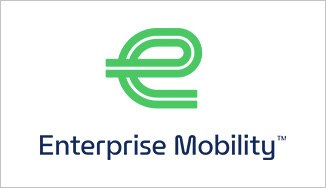
Primary Logo on Blue Background

Primary Logo on White Background

Primary Logo on Photography Background

Primary Logo on Black Background (only used in black and white printing)

Primary Logo on White Background (only used in black and white printing)

Mark - Special Usage Only


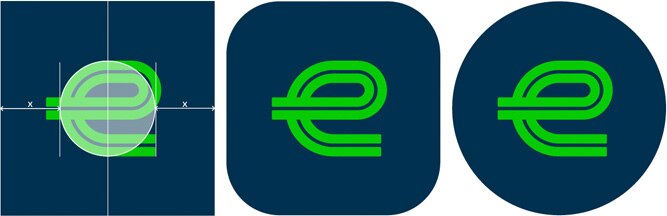
You may notice that our corporate social media accounts feature a new icon. This is a special use of our Mark and it is only intended for our Enterprise Mobility™ corporate social media accounts. This Mark cannot be used for personal or Group social media accounts, or in any other applications.

We do not use Mathematical Center because the Mark appears to shift slightly to the right.

Program, Product and Department Logos

In certain situations the development of a program, product or department logo may be appropriate. If you think you may have a use case that warrants a logo, please contact brandexperience@em.com. You should never create a logo on your own.

Don’ts – Mark and Logo Practices to Avoid
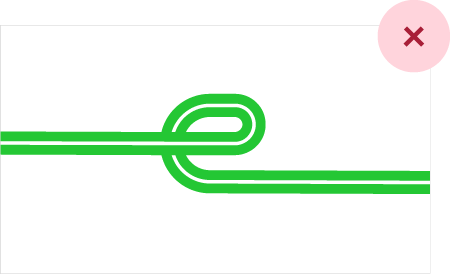
Don’t stretch or extend the lines of the 'e.'

Don’t change the composition of any of the logos or create your own log by using the Mark and typography.

Don’t change the font of any of our logos.

Don’t use our Mark in a color that impairs legibility when placed over photography.

Don’t use the 'e' as part of the typography.

Don’t use colors not included in our color palette.

Don’t extend into the Safety Area.

Don’t use the incorrect version of our logo. Above, we see the Tertiary Logo when the Primary Logo is optimal.

Colors

Primary Color Palette

Our color palette distinguishes us as Enterprise Mobility. The bold combination works in harmony to capture a quintessential balance between trusted expertise, grounded optimism, and a striking spirit of innovation. Together, our colors help create a recognizable, confident and consistent visual identity.
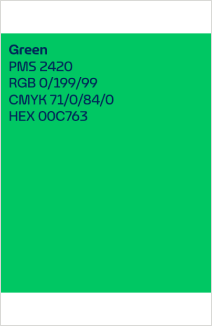
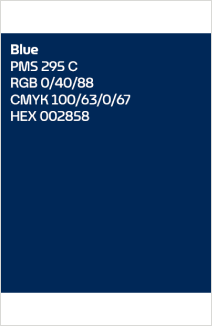
Green works as a functional accent to emphasize key words, draw attention and stand out in everything from copy to design elements. It is used more sparingly in design for impact.

With richness, depth and high contrast, blue is our default for most text, particularly with bold copy.

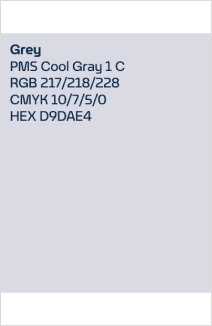
Grey creates depth when used with our base white. In layouts, grey provides more subtle color differentiation.

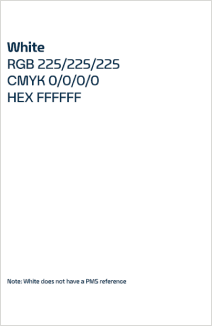
White functions as a base color in our Primary Palette. It gives us freedom to explore negative space in layouts.

Typography

When we set out to create a typeface that was unmistakably Enterprise Mobility, our own history was our greatest source of inspiration. Sweeping curves meet decisive forward direction rooted in the fluid yet intentional form of the 'e' mark. Each letter draws inspiration from the foundation of mobility: the open road. In every detail, from tails to crossbars, we integrate horizontal progression that draws the eye onward. As a result, our typography strikes an important balance between functionality and distinct character.
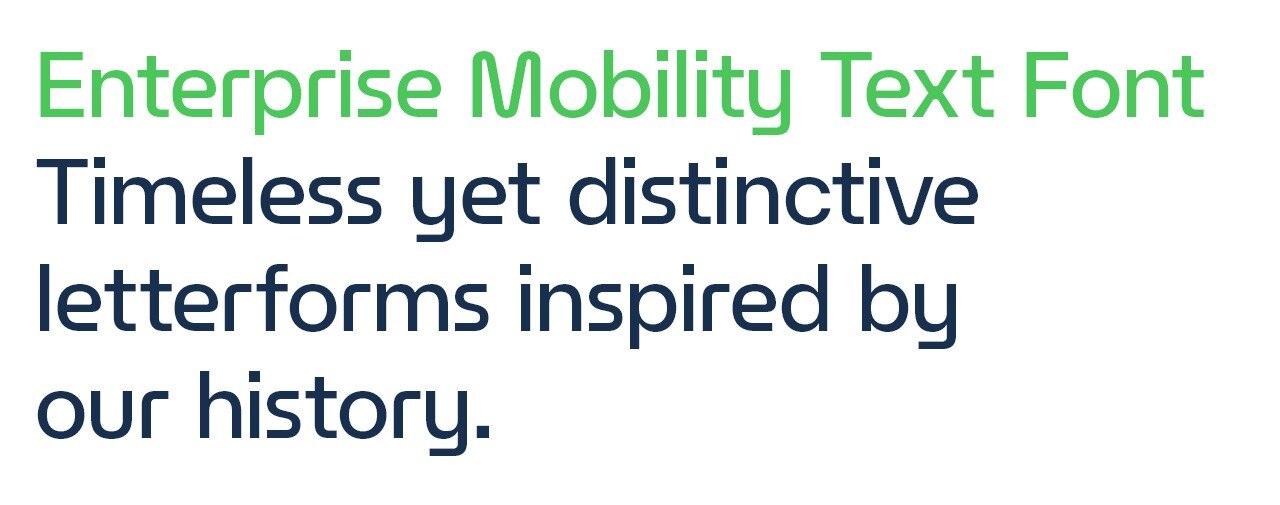
Our preferred font is our custom Enterprise Mobility Text Font. Continue reading for instructions on how to download and install. Certain tech platforms, however, such as Microsoft Outlook, will not support our custom font. In such instances, our universal font is Helvetica Neue.

Enterprise Mobility Text Font Download & Installation

The Enterprise Mobility Text Font package can be downloaded here.

Desktop Installation Guide

File formats: OpenType (.otf) for macOS and Windows desktop software.

On a Mac

Lorem ipsum dolor sit amet consectetur. Enim proin sed neque sed rutrum diam molestie. In ut ultricies condimentum est convallis sed viverra porta. Et egestas consequat nibh nulla commodo quam at. Lectus tincidunt lectus quam at. Urna ridiculus nibh urna iaculis ut porttitor ultricies. Lorem semper magnis rutrum.

On a PC

Lorem ipsum dolor sit amet consectetur. Enim proin sed neque sed rutrum diam molestie. In ut ultricies condimentum est convallis sed viverra porta. Et egestas consequat nibh nulla commodo quam at. Lectus tincidunt lectus quam at. Urna ridiculus nibh urna iaculis ut porttitor ultricies. Lorem semper magnis rutrum.

Web Usage Guide

File formats: Web Open Font Format (.woff and .woff2) for all modern browser platforms.

CSS @font-face

Lorem ipsum dolor sit amet consectetur. Enim proin sed neque sed rutrum diam molestie. In ut ultricies condimentum est convallis sed viverra porta. Et egestas consequat nibh nulla commodo quam at. Lectus tincidunt lectus quam at. Urna ridiculus nibh urna iaculis ut porttitor ultricies. Lorem semper magnis rutrum.

HTML embed

Lorem ipsum dolor sit amet consectetur. Enim proin sed neque sed rutrum diam molestie. In ut ultricies condimentum est convallis sed viverra porta. Et egestas consequat nibh nulla commodo quam at. Lectus tincidunt lectus quam at. Urna ridiculus nibh urna iaculis ut porttitor ultricies. Lorem semper magnis rutrum.

Font file hosting

Lorem ipsum dolor sit amet consectetur. Enim proin sed neque sed rutrum diam molestie. In ut ultricies condimentum est convallis sed viverra porta. Et egestas consequat nibh nulla commodo quam at. Lectus tincidunt lectus quam at. Urna ridiculus nibh urna iaculis ut porttitor ultricies. Lorem semper magnis rutrum.